Skip to content
How it works

Set up once. Calm mornings after.

Tell Nova what matters, approve what it sees, and it quietly stays ahead — drafting, booking and acting on the small things you'd rather not carry.

01
Step 1 of 3

Tell Nova what matters

Pick the parts of your life Nova should stay ahead of. One question, one tap. Nova listens for the rest.

  • Pick one or many focuses
  • Two minutes of plain-English questions
  • Change it any time — memory stays
Nova live

Step 1 · pick your focus

What should Nova watch?

Money
Business
Car
Home
Inbox
Custom
Continue
02
Step 2 of 3

Approve one quiet source

Nova only sees what you allow. Connect one thing and Nova starts building the picture in the background.

  • Permission-first · opt-in, revocable
  • Start with one — add more later
  • No autonomous actions, ever
Nova live

Step 2 · connect one source

Pick one to start.

GmailConnected

Read-only · revocable

Google CalendarConnect

Read-only · revocable

Bank · via StitchConnect

Read-only · POPIA

03
Step 3 of 3

Open your first briefing

Tomorrow morning — or right now — three cards. Calm. Specific. Yours.

  • Critical · opportunity · what's next
  • Every card explains why
  • Snooze, dismiss, or act in one tap
Nova live

Step 3 · your first brief

Three things, in order.

Today · tight day

R 8,420 out before invoice clears

Drafted · cold lead

Sipho · 11 days quiet · reply ready

Coming up

Service due Friday · 09:00 slot held

ApproveNot now
01
Step 1 of 3

Tell Nova what matters

Pick the parts of your life Nova should stay ahead of. One question, one tap. Nova listens for the rest.

  • Pick one or many focuses
  • Two minutes of plain-English questions
  • Change it any time — memory stays
Nova live

Step 1 · pick your focus

What should Nova watch?

Money
Business
Car
Home
Inbox
Custom
Continue
02
Step 2 of 3

Approve one quiet source

Nova only sees what you allow. Connect one thing and Nova starts building the picture in the background.

  • Permission-first · opt-in, revocable
  • Start with one — add more later
  • No autonomous actions, ever
Nova live

Step 2 · connect one source

Pick one to start.

GmailConnected

Read-only · revocable

Google CalendarConnect

Read-only · revocable

Bank · via StitchConnect

Read-only · POPIA

03
Step 3 of 3

Open your first briefing

Tomorrow morning — or right now — three cards. Calm. Specific. Yours.

  • Critical · opportunity · what's next
  • Every card explains why
  • Snooze, dismiss, or act in one tap
Nova live

Step 3 · your first brief

Three things, in order.

Today · tight day

R 8,420 out before invoice clears

Drafted · cold lead

Sipho · 11 days quiet · reply ready

Coming up

Service due Friday · 09:00 slot held

ApproveNot now
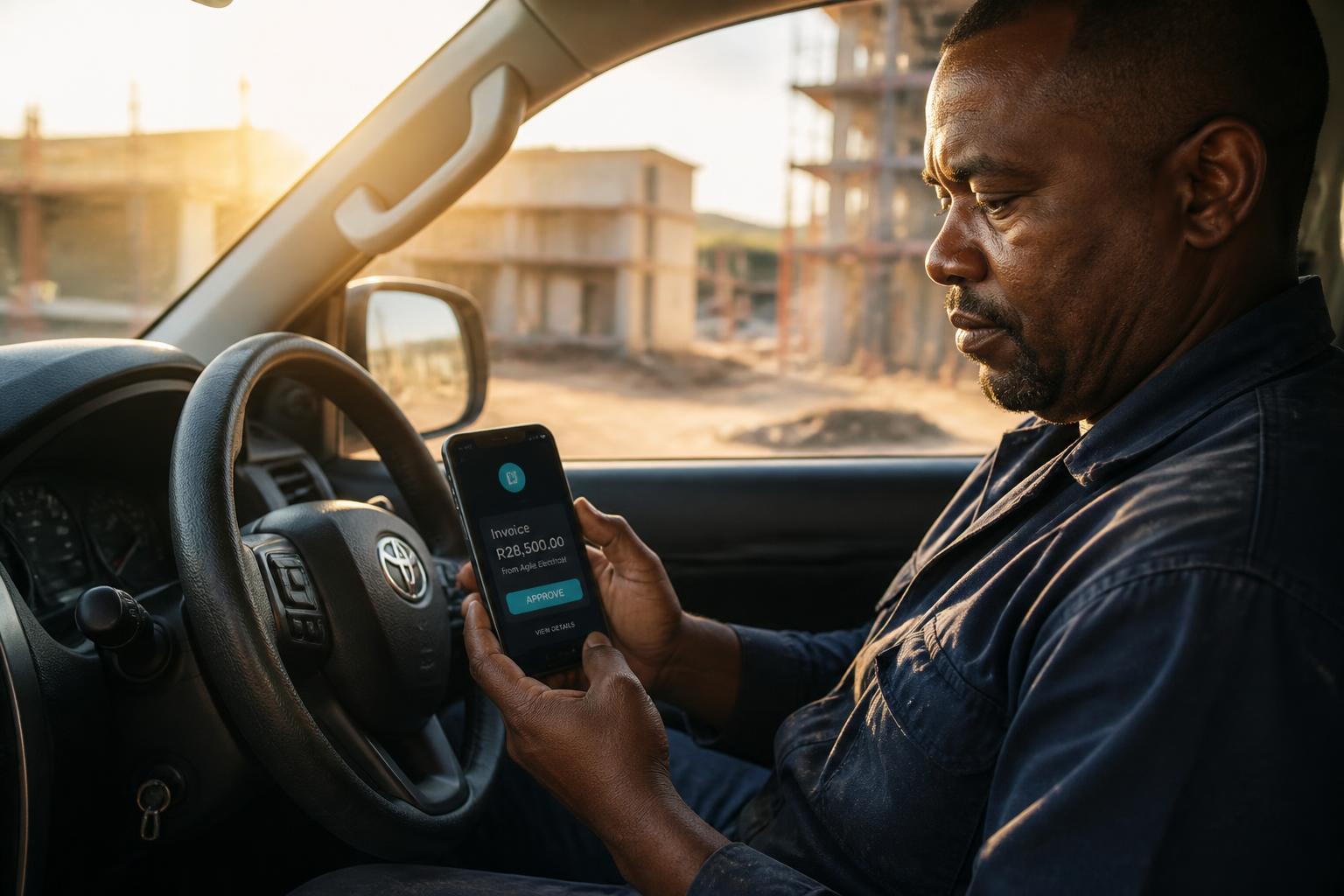
A tradesman in his bakkie approving a Nova invoice card
In the field · between jobs

The work doesn't stop. Nova preps the admin in the gap — you approve it out the door.

Approve an invoice from the cab. Send a quote between sites. Nova has it drafted — you tap once.

One tap install

Nova lives on your home screen.

No app store. Open Nova in your browser, add it to your home screen, and it opens like a native app — instant, full-screen, always the latest.

iPhone

  1. 1Open Nova in Safari
  2. 2Tap Share → Add to Home Screen
  3. 3Tap Add — it's on your home screen

Android

  1. 1Open Nova in Chrome
  2. 2Tap menu → Install app
  3. 3Confirm — installs like any other app

Desktop

  1. 1Open Nova in Chrome or Edge
  2. 2Click the install icon in the address bar
  3. 3Nova opens in its own window

Save it like an app · No app store · Instant updates · Works offline for today

Try it free

Carry on. Nova catches what matters.

Free to start. $9/ month for Personal. $59/ month for Business. Billed in USD. Cancel in two taps.

Add Nova to your home screenHow